
Statsig
Statsig helps teams make data-driven decisions quickly and easily.
Overview
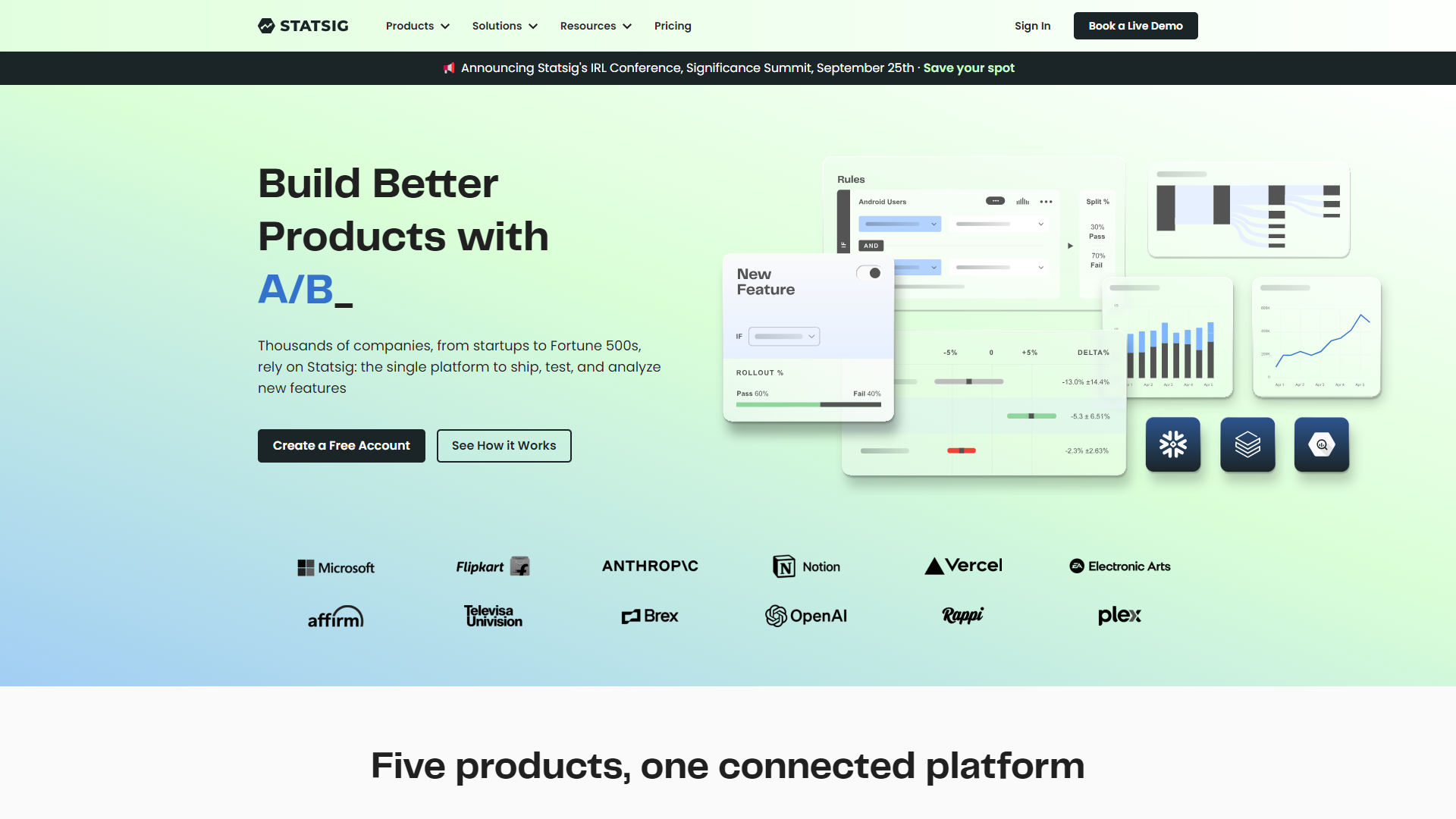
Statsig is a powerful platform designed for product teams to run experiments and analyze data. With its robust set of tools, Statsig allows users to test features and understand how they impact user behavior. This means teams can make informed decisions based on real data rather than guesswork.
One of the key advantages of Statsig is its user-friendly interface, which simplifies complex data analysis. It integrates seamlessly with existing workflows, making it easier for teams to adopt and use effectively. By providing clear insights and metrics, Statsig helps organizations optimize their products and services.
In a world where data plays a crucial role in decision-making, Statsig stands out by offering features that cater to both technical and non-technical users. This makes it an excellent choice for teams looking to leverage data to enhance their offerings and drive growth.
Pricing
| Plan | Price | Description |
|---|---|---|
| Developer | Free (500000000 Events Per Year) | Self-serve, easy to get integrated and running fast |
| Pro | Free (5000000 Events Per Month) | Self-service analytics and Experimentation |
| Enterprise | Contact Us (Per Year) | Custom annual pricing with volume discounts |
Key features
A/B Testing
Easily run A/B tests to compare different versions and see which one performs better.
Feature Flagging
Control which features are visible to users and test new features before a full roll-out.
Analytics Dashboard
Access a comprehensive dashboard that provides insights in real-time.
User Segmentation
Target specific user groups to understand their behavior and preferences.
Integration Capability
Connect with popular tools and platforms for enhanced functionality.
Data Visualization
Simple yet effective visualizations help identify trends and patterns.
Real-Time Feedback
Get instant feedback on changes made to the product.
Custom Reporting
Generate reports tailored to the unique needs of your team.
Pros & Cons
Pros
- User-Friendly
- Fast Insights
- Seamless Integration
- Robust Support
- Scalable Solution
Cons
- Learning Curve
- Cost
- Limited Customization
- Dependence on Data
- Occasional Bugs
Feature Ratings
Based on real user reviews, here's how users rate different features of this product.
User Behavior
Tracks where users are clicking on a web page.
Tracks where users are hovering over on a web page.
Tracks mouse movement over a web page.
See where users experience the most difficulty on a web page.
A/B Testing
Tracks sessions where users encountered errors and bugs.
Split web traffic to a page between two different URLs.
Offers insights into relationships between user information and user behavior.
Leave notes on sessions and bugs.
Visitor Information
Collects user information (location, IP address, email, etc.).
Search sessions by keywords or IP address.
Product Analytics
Based on 20 Statsig reviews. Ability to see analytics at the account level.
Based on 20 reviewsAs reported in 21 Statsig reviews. Ability to see analytics at the user level.
Based on 21 reviewsAs reported in 20 Statsig reviews. Ability to compare usage across segments such as role, company size, etc.
Based on 20 reviewsBased on 20 Statsig reviews. See how users move though a product via grouped page sequences
Based on 20 reviewsAs reported in 20 Statsig reviews. Receive automated alerts and reports based on gains or losses in performance.
Based on 20 reviewsView analytics for multiple products in a single dashboard, including cross-product engagement This feature was mentioned in 19 Statsig reviews.
Based on 19 reviewsAs reported in 19 Statsig reviews. Scores customers and visitors to identify at-risk or thriving accounts.
Based on 19 reviewsBased on 19 Statsig reviews. Breadth and functionality of integrations with third-party products.
Based on 19 reviewsDeployment
Allows users to input models built in a variety of languages.
Allows users to choose the framework or workbench of their preference.
Records versioning as models are iterated upon.
Provides a way to quickly and efficiently deploy machine learning models.
Offers a way to scale the use of machine learning models across an enterprise.
Allows users to input models built in a variety of languages.
Allows users to choose the framework or workbench of their preference.
Records versioning as models are iterated upon.
Provides a way to quickly and efficiently deploy machine learning models.
Offers a way to scale the use of machine learning models across an enterprise.
Management
Records and organizes all machine learning models that have been deployed across the business.
Tracks the performance and accuracy of machine learning models.
Provisions users based on authorization to both deploy and iterate upon machine learning models.
Allows users to manage model artifacts and tracks which models are deployed in production.
Grants users a centralized dashboard for organized feature flag management. This feature was mentioned in 57 Statsig reviews.
Based on 57 reviewsGrants users granular control over feature rollouts and rollbacks. 47 reviewers of Statsig have provided feedback on this feature.
Based on 47 reviewsAs reported in 49 Statsig reviews. Allows users to track the status of deployed features and application performance via automated alerts.
Based on 49 reviewsRecords and organizes all machine learning models that have been deployed across the business.
Tracks the performance and accuracy of machine learning models.
Provisions users based on authorization to both deploy and iterate upon machine learning models.
Functionality
Empowers users to smoothly deploy features in a variety of environments. 48 reviewers of Statsig have provided feedback on this feature.
Based on 48 reviewsAllows teams to test features in production for select target groups without deploying. 54 reviewers of Statsig have provided feedback on this feature.
Based on 54 reviewsPresents users with a low-code interface to build and maintain feature management systems. This feature was mentioned in 41 Statsig reviews.
Based on 41 reviewsOperations
Control model usage and performance in production
Deploy mission-critical ML applications where and when you need them
Easily compare experiments—code, hyperparameters, metrics, predictions, dependencies, system metrics, and more—to understand differences in model performance.
Analytics
Provides reporting and analytics tools to quantify the results of the experiment. 66 reviewers of Statsig have provided feedback on this feature.
Based on 66 reviewsAs reported in 35 Statsig reviews. Provides heatmap functionality to assess what parts of the website visitors are engaging with most.
Based on 35 reviewsExperimental Design
Allows for the testing of multiple variables at a time during a single test. This feature was mentioned in 56 Statsig reviews.
Based on 56 reviewsAllows multiple experiments to be deployed simultaneously. This feature was mentioned in 56 Statsig reviews.
Based on 56 reviewsAs reported in 51 Statsig reviews. Allows mobile web pages to be tested during A/B experiments.
Based on 51 reviewsComputing
What You See is What You Get (WYSIWYG) features allow the editing of web pages without HTML. This means you can directly edit pages with images and text without any coding. 45 reviewers of Statsig have provided feedback on this feature.
Based on 45 reviewsUses algorithms and continuous data entry to enable the technology to develop insights and optimize testing. 39 reviewers of Statsig have provided feedback on this feature.
Based on 39 reviewsAs reported in 53 Statsig reviews. Requires little to no knowledge of coding. Usually this means it comes with prewritten code.
Based on 53 reviewsGenerative AI
Allows users to generate text based on a text prompt.
Condenses long documents or text into a brief summary.
Rating Distribution
Screenshots
User Reviews
View all reviews on G2Frequent User of Statsig - confusing interface
What do you like best about Statsig?
Statsig makes it very easy to analyze the results. The graphs they provide are easy to read and you can click on each metric for additional insights, charting and statistical significance. At a quick glance you can see what is going on with the experiment
What do you dislike about Statsig?
I find some of the features when submitting an experiment to be quite confusing. For example the allocation duration, cohort duration and total experiment time fields are not clear. Additionally, most of our experiments we analyze one week after allocation and there is no option to do this in Statsig
What problems is Statsig solving and how is that benefiting you?
Statsig helps us see every experiment currently being run in the organization and what is performing well. Statsig also helps me determine significance of metrics (something I used to manually calculate) and it saves me from writing up results - I can now just link stakeholders to the experiment.
Innovative tool with fantastic support team!
What do you like best about Statsig?
Statsig has wildly exceeded my expectations! Our company had never had any sort of testing before, and when we were looking through platforms, it was hard to know what we needed. But the StatSig team was super willing to work with us on contract price and help us...
StatSig - A great tool for feature flags
What do you like best about Statsig?
+ It works and is relibable.
+ It is well documented
+ Plenty of adapters (React/Vanilla JS, HTML, etc...)
+ Experiments feature is super nice
+ Integration is super easy
What do you dislike about Statsig?
- SDK Documentation is wrong (It says "env" instead of S...
Powerful, Flexible and Great Support
What do you like best about Statsig?
Statsig is a very powerful tool for collecting metrics necessary to make informed decisions having to do with A/b testing. It had pretty much everything you would need from an analytics suite as well - our team finds it much easier to build dashboards and pull in...
Need to improve the first integration part
What do you like best about Statsig?
It needs to improve the details of how to do the integration, including some sample codes and making it clearer how the logs part works, separated from the development and production environments.
In addition to recommendations or tips on how to create logs focu...
Company Information
Alternative Mlops Platforms tools


FAQ
Here are some frequently asked questions about Statsig.
Statsig is a platform that helps teams run experiments and analyze data to improve products.
A/B testing in Statsig allows you to compare two versions of a feature to see which one performs better.
Yes, Statsig integrates with many popular tools to help streamline your workflow.
Absolutely! Statsig is designed to be easy to use for both technical and non-technical users.
Statsig provides excellent customer support along with a variety of resources to assist users.
Feature flagging allows teams to turn features on or off for specific user groups to test them safely.
Yes, Statsig provides real-time analytics to help you understand user behavior on the spot.
Statsig offers a free trial for new users to explore its features before committing.