
Overview
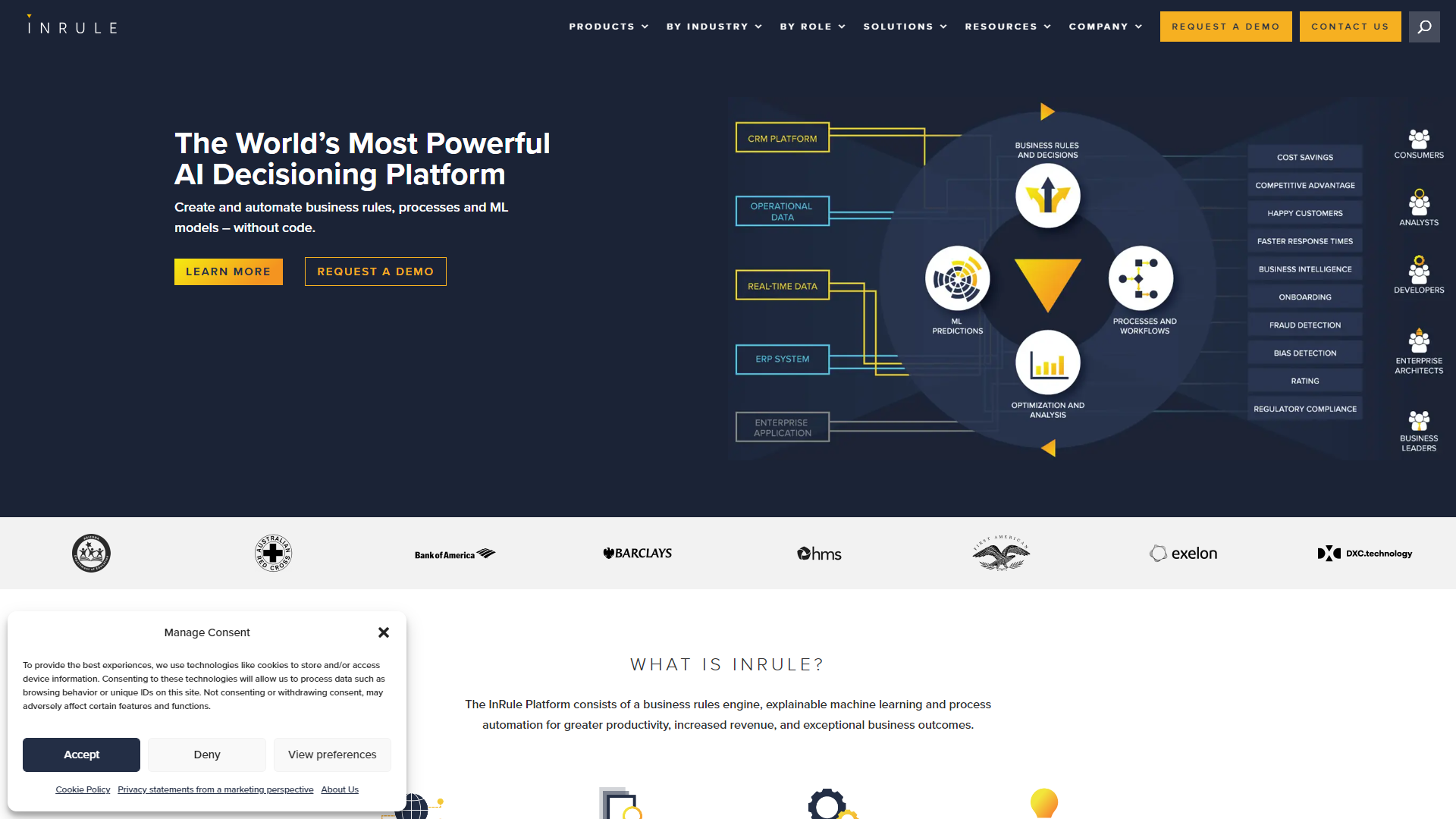
InRule is designed to help businesses automate their decision-making processes. It simplifies complex rules and allows users to create, manage, and update these rules with ease. This is especially useful in industries such as finance, insurance, and healthcare, where accurate decision-making is critical.
Built for users who may not have a technical background, InRule offers a user-friendly interface. It helps organizations reduce the time it takes to implement decisions by allowing non-developers to contribute to rule creation. Additionally, InRule integrates well with various systems, making it a versatile tool for many different applications.
One of the standout features of InRule is its ability to handle changes in regulations and business logic seamlessly. This means businesses can stay compliant and responsive to market shifts without significant delays or overhead. The platform's flexibility and scalability make it a great choice for companies looking to improve their decision-making processes.
Pricing
| Plan | Price | Description |
|---|---|---|
| Commercial | $9,500.00 (Per Month) | SaaS |
| Enterprise | Contact Us | On-Prem, PaaS, or SaaS |
Key features
User-Friendly Interface
InRule provides a visual interface that helps non-technical users create and manage complex rules without needing coding skills.
Integration Capabilities
It seamlessly connects with existing applications and databases, ensuring smooth data flow and decision-making.
Real-Time Decision Making
The platform powers instant decisions, allowing businesses to respond quickly to customer needs and operational challenges.
Version Control
InRule keeps track of rule changes, enabling organizations to quickly revert to previous versions if needed.
Scalability
The platform can grow with your organization, handling increasing data and rule complexity without losing performance.
Compliance Management
InRule automatically adapts to regulatory changes, helping businesses stay compliant with minimal effort.
Analytics and Reporting
Users can track the performance of their rules and make informed decisions based on data-driven insights.
Testing Environment
InRule offers a safe space to test rule changes before deployment, reducing the risk of errors in live settings.
Pros & Cons
Pros
- Ease of Use
- Speedy Implementation
- Flexible Integration
- Robust Analytics
- Continuous Updates
Cons
- Initial Learning Curve
- Cost
- Limited Customization
- Integration Challenges
- Support Response Time
Feature Ratings
Based on real user reviews, here's how users rate different features of this product.
Application Design
Gives users the ability to edit or write custom HTML, Javascript or CSS code. This feature was mentioned in 10 InRule reviews.
Based on 10 reviewsAs reported in 11 InRule reviews. Allows users to edit or write custom code with programming languages.
Based on 11 reviewsProvides tools for inserting brand logos, colors, quotes, and other proprietary content.
Provides base-level application templates to build atop and which users can customize for specifc users and actions.
Allows the creation ofpage sequences, forms, and libraries for users navigating the application. 10 reviewers of InRule have provided feedback on this feature.
Based on 10 reviewsData Control
Lets users add data from existing sources when creating the initial application or changing data sources.
Continuously updates data as users or external data sources are edited.
Encrypts or provides some form of firewall to prevent external parties from accessing sensitive data.
Publishing
Releases the application for access on desktop or mobile devices.
Lets users build cross-platform applications or provide specific templates for different device types.
Provides ability to manage application and maintenance from build, throughout the release, and until it's deactivation.
Deployment
Allows users to input models built in a variety of languages.
Allows users to choose the framework or workbench of their preference.
Records versioning as models are iterated upon.
Provides a way to quickly and efficiently deploy machine learning models.
Offers a way to scale the use of machine learning models across an enterprise.
Allows users to input models built in a variety of languages.
Allows users to choose the framework or workbench of their preference.
Records versioning as models are iterated upon.
Provides a way to quickly and efficiently deploy machine learning models.
Offers a way to scale the use of machine learning models across an enterprise.
Allows one to create or host applications built on top of business rules. 19 reviewers of InRule have provided feedback on this feature.
Based on 19 reviewsProvides APIs or other development tools for integrating with other applications. 19 reviewers of InRule have provided feedback on this feature.
Based on 19 reviewsManagement
Records and organizes all machine learning models that have been deployed across the business.
Tracks the performance and accuracy of machine learning models.
Provisions users based on authorization to both deploy and iterate upon machine learning models.
Allows users to manage model artifacts and tracks which models are deployed in production.
Records and organizes all machine learning models that have been deployed across the business.
Tracks the performance and accuracy of machine learning models.
Provisions users based on authorization to both deploy and iterate upon machine learning models.
As reported in 20 InRule reviews. Stores business rules in a catalog, to ensure business users can access them in their latest version.
Based on 20 reviewsBased on 20 InRule reviews. Gives users the ability to collaborate on decision management, such as the ability to work simultaneously or annotate models.
Based on 20 reviewsDigital Workflows
Gives the ability to build a workflow based on business logic or a specific condition in order to route work to different people based on rules.
Provides the user with a no-code or low-code environment in which they can build applications and workflows, including drag-and-drop features.
Gives the user the ability to manage documents, including versioning and the ability to integrate those document with third-party applications.
Forms
Integrates data and processes from multiple sources into a single system.
Build interfaces once and use them across one or more processes.
Gives the user the ability to build and use forms on mobile devices.
Automation
Streamline the flow of work processes by establishing triggers and alerts that notify and route information to the appropriate people when their action is required within the compensation process.
Visually displays connected applications and integrated data. Allows customization and management of workflow structures.
Processing changes to data sources and applications as changes are made in real-time.
Offers the ability to record processes performed by humans to be recreated by bots.
Operations
Control model usage and performance in production
Deploy mission-critical ML applications where and when you need them
Easily compare experiments—code, hyperparameters, metrics, predictions, dependencies, system metrics, and more—to understand differences in model performance.
Integration
Provides the ability to integrate data and transform data in order to facilitate decision-making. This feature was mentioned in 19 InRule reviews.
Based on 19 reviewsAllows the user to connect to variety of applications across the business. 17 reviewers of InRule have provided feedback on this feature.
Based on 17 reviewsBusiness Logic
Based on 20 InRule reviews. Allows users to write and edit business rules using business language, decision tables, etc.
Based on 20 reviewsBased on 20 InRule reviews. Confirms whether your rules are executing as expected through testing them.
Based on 20 reviewsAs reported in 18 InRule reviews. Provides the ability to create or integrate with predictive models.
Based on 18 reviewsAnalytics
Based on 15 InRule reviews. Analyzes and compares the impact of automated decisions.`
Based on 15 reviewsAs reported in 15 InRule reviews. Provides tools for simulating rules on real or fictitious operational data, and use the results to assess and refine the behavior of the rules.
Based on 15 reviewsRating Distribution
Screenshots
User Reviews
View all reviews on G2Amazing tool to get the job done
What do you like best about InRule?
What I like best about InRule is it's ease of access and it's ability to scale with every growing projects. The community is a joy to be a part of and the passion that the InRule team displays is but a small glimpse into their core value.
What do you dislike about InRule?
While InRule has brought a lot of positive changes to our organization there is still room to improve when it comes to official available documentation. Occasionally, there is a lack of resources available to quickly solve a challenge without needing to contact the InRule support team which can be a hurdle for new members in their journey to master InRule.
What problems is InRule solving and how is that benefiting you?
Our need to process medical cases and sorting them based on the yearly changing specifications.
InRule brings efficiency
What do you like best about InRule?
InRule has been very easy to digest and learn as a new user. I have created new rules for my position very quickly, and find it easier to explain the logic and syntax of the rules to others who do not work in InRule.
What do you dislike about InRule?
Sometimes it...
Excellent business rules engine for integration
What do you like best about InRule?
Ability to integrate with external apps, including bpm tooling, snowflake, sales force. Ease of irAuthor creation and maintenance of business rules. Vendor support is always available as well.
What do you dislike about InRule?
As a business workflow administrator...
Enables what we thought was impossible
What do you like best about InRule?
InRule operates within functionalities that our organization previously considered unworkable. My focus was on the areas of Quote, Quote Line, Account, and Subscriptions. The system retrieves all interconnected records, applies filters and conditions, and then pre...
Onboarding and response from InRule was fast and always helpful.
What do you like best about InRule?
The flexibility and not restrictive on how it is leveraged. Did not feel like we were limited to the specific project or body of work that we had purchased it for.
What do you dislike about InRule?
The reporting abilities were much more restrive and not very usef...
Company Information
Alternative Mlops Platforms tools


FAQ
Here are some frequently asked questions about InRule.
InRule is used to automate decision-making processes in various industries, helping organizations manage complex rules easily.
Yes, InRule is designed for ease of use, allowing non-technical users to create and manage rules without coding skills.
InRule connects easily with existing applications and databases, allowing for seamless data exchange and decision-making.
Yes, InRule is highly scalable and can handle increased data and rule complexity as your organization grows.
InRule offers analytics and reporting features that help users track rule performance and make data-driven decisions.
InRule regularly updates its platform based on user feedback and market needs to ensure it remains relevant.
Yes, InRule provides a safe testing environment to validate rule changes before they go live.
InRule is designed to automatically adapt to regulatory changes, ensuring compliance with minimal manual intervention.


