
Overview
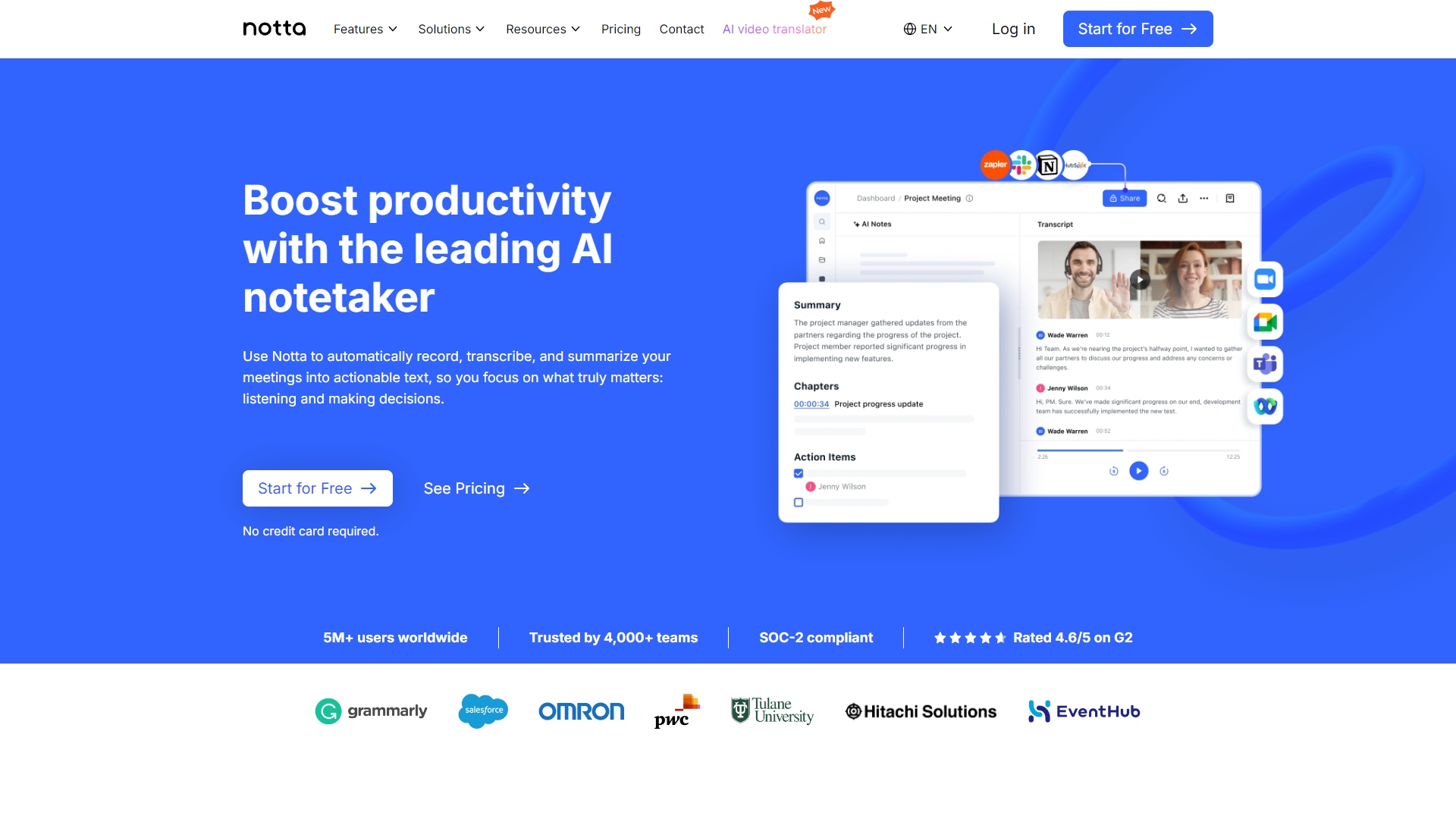
Notta is an innovative tool that transforms spoken words into written text. Designed for students, professionals, and anyone who needs to capture spoken information quickly, Notta makes it simple to record conversations and meetings. It supports multiple languages, making it a versatile tool for users worldwide.
Pricing
| Plan | Price | Description |
|---|---|---|
| Free | $0.00 (1 Seat Per Month) | For individuals just getting started with Notta. |
| Pro | Starting at $9.00 (1 Seat Per Month) | For professionals who want more minutes and features |
| Business | Starting at $16.67 (1 Seat Per Month) | For teams that need collaboration and administration features |
| Enterprise | Contact Us (51 Seat) | For organizations looking for advanced security, controls, and support |
Key features
Real-time transcription
Notta provides instant transcription, enabling users to see their words appear on the screen as they speak.
Multi-language support
The app can transcribe speech from several languages, allowing users to work in their preferred language.
Audio and video uploads
Users can upload pre-recorded audio or video files for transcription, making it perfect for lectures and conferences.
Smart search function
Find specific words or phrases easily in your transcriptions with the smart search feature.
Collaboration tools
Users can share their transcriptions with others, enhancing team collaboration and productivity.
Offline mode
Notta can be used offline, meaning you can transcribe anywhere without worrying about internet connection.
Speaker recognition
The app distinguishes between different speakers, helping to keep track of who said what during conversations.
User-friendly interface
The app is designed for ease of use, with a clean interface that makes navigation simple.
Pros & Cons
Pros
- High accuracy
- Flexible language options
- Convenient for note-taking
- Time-saving
- Affordable plans
Cons
- Subscription-based model
- Limited free version
- Requires internet for some features
- Occasional misinterpretations
- Learning curve
Feature Ratings
Based on real user reviews, here's how users rate different features of this product.
Pre-Meeting Tools
As reported in 38 Notta reviews. Provides templates for various meeting types.
Based on 38 reviewsAs reported in 43 Notta reviews. Schedules and coordinates meetings between participants.
Based on 43 reviewsBased on 43 Notta reviews. Creates agendas for meetings to follow.
Based on 43 reviewsMeeting Tools
Automatically records the minutes of a meeting, either via text or audio. 46 reviewers of Notta have provided feedback on this feature.
Based on 46 reviewsBased on 47 Notta reviews. Allows participants to record notes on meeting proceedings.
Based on 47 reviewsBased on 42 Notta reviews. Provides a malleable digital workspace for meeting participants to collaborate in.
Based on 42 reviewsAs reported in 42 Notta reviews. Allows participants to share files or post them in a shared workspace.
Based on 42 reviewsPost-Meeting Tools
Based on 38 Notta reviews. Delegates tasks based on agreed upon action points.
Based on 38 reviewsEmails meeting participants with follow up questions, minutes, etc. 40 reviewers of Notta have provided feedback on this feature.
Based on 40 reviewsBased on 45 Notta reviews. Provides data around meeting (length, agenda points covered, etc.)
Based on 45 reviewsVoice
Based on 46 Notta reviews. Provides dictation capabilities.
Based on 46 reviewsGives the user a reliable and accurate transcription of the text. This feature was mentioned in 48 Notta reviews.
Based on 48 reviewsTranscription
Identifies and differentiates between different speakers. This feature was mentioned in 49 Notta reviews.
Based on 49 reviewsAs reported in 47 Notta reviews. Provides timestamps for the transcription and gives the user the ability to alter them.
Based on 47 reviewsAs reported in 47 Notta reviews. Allows for transcription to be displayed as closed captioning for a video.
Based on 47 reviewsBased on 47 Notta reviews. Ability to add words or phrases to a custom dictionary for transcription.
Based on 47 reviewsEditing
Have the ability to share your project and grant collaborators access to comment or edit. 46 reviewers of Notta have provided feedback on this feature.
Based on 46 reviewsAs reported in 48 Notta reviews. Provides spell checking and punctuation, such as commas, periods, and question marks.
Based on 48 reviewsAs reported in 46 Notta reviews. Facilitates the editing of transcription via a text editor.
Based on 46 reviewsAs reported in 44 Notta reviews. Allows for the translation of the transcribed text.
Based on 44 reviewsIntegration
Gives the user a secure platform for transcription which does not scrape data or compromise user data. This feature was mentioned in 44 Notta reviews.
Based on 44 reviewsProvides an API to port the transcription into external applications. This feature was mentioned in 41 Notta reviews.
Based on 41 reviewsAs reported in 43 Notta reviews. Supports uploading recorded voice data into the solution.
Based on 43 reviewsAllows for the user to incorporate live transcription into video footage. This feature was mentioned in 42 Notta reviews.
Based on 42 reviewsBased on 43 Notta reviews. Integrates with existing applications to allow for seamless transcription of audio.
Based on 43 reviewsMeeting Prep - AI Meeting Assistants
Assists in creating and managing meeting agendas, ensuring that discussions stay on track and objectives are met.
Hosts virtual meetings, manages attendee lists, and controls meeting features like screen sharing and recording.
Helps schedule meetings by analyzing participants' calendars and finding suitable time slots for everyone involved. They can also send out meeting invitations and reminders.
Meeting Automation - AI Meeting Assistants
Automatically transcribes and summarizes meeting discussions.
Recognizes and transcribes spoken words during meetings, making note of who is speaking and when.
Tracks action items and follow-up tasks, assigning responsibilities to specific participants and sending reminders.
Meeting Insights - AI Meeting Assistants
Analyzes the sentiment of meeting participants based on their speech patterns and provides insights into the emotional tone of the meeting.
Adapts to individual preferences and learning from past interactions to provide a more personalized meeting experience.
Creates smart summaries that capture the essential information and insights from a meeting, allowing participants to recall key points, track action items, and have a comprehensive understanding of what transpired during the meeting
Accessibility - AI Meeting Assistants
Offers real-time language translation, allowing participants who speak different languages to communicate effectively.
Provides real-time transcription of spoken words. This may also include closed-captioning.
Complies with accessibility standards and guidelines, such as the Web Content Accessibility Guidelines (WCAG), to ensure that the tool is accessible to individuals with disabilities.
Rating Distribution
Screenshots
User Reviews
View all reviews on G2Great Price - Worth the small inconveniences
What do you like best about Notta?
Program is very easy to use, is reasonably priced, and allows me to buy a lot of time at work.
What do you dislike about Notta?
The script speaker glitches sometimes, and it does not identify voies as well as I hoped for.
What problems is Notta solving and how is that benefiting you?
Transcribing videos instead of me needing to write them is really helpful. One place I'd love improving is having the way paragraphs are broken down match the speakers, so there is. clear back-and forth. I love that you automatically remove fillers like "um" and "like", but it would also be great to have voices and speakers be more easily identifiable. I do save a lot of time not manually transcribing, but I often still have to review the whole video so i assign the correct speaker to the correct lines.
Misleading Trial Terms and Deceptive Billing Practices
What do you like best about Notta?
Notta is not suited for B2B conversations in multilingual environments, even when speakers are at a C2 proficiency level. The transcription quality is unreliable, with frequent errors and misinterpretations. The product struggles with accurately capturing context a...
Language Interpretation
What do you like best about Notta?
What is impressive is the transcription and the speed at which it is done.
What do you dislike about Notta?
The problem is the understanding of the non-native language, which is different from English, because when transcribing into Portuguese, many errors appear,...
Cumbersome
What do you like best about Notta?
I like the summaries, however they are. far from accurate
What do you dislike about Notta?
The overall tool is cumbersome and has a number is program issues. the system dhould identify the voices and automatically apply the association to each voice. This didn't h...
Enhancing Learning with Notta: A Neurodivergent MBA Student’s Review
What do you like best about Notta?
As a neurodivergent MBA student, Notta's cross-platform functionality has been crucial for recording lectures on both my laptop and phone, ensuring I never miss important details. Its video recording capability is particularly beneficial, capturing visual aids and ...
Company Information
Alternative Voice Recognition tools


FAQ
Here are some frequently asked questions about Notta.
Notta is a speech-to-text tool that helps you transcribe spoken words into written text.
You can speak into the app, and it instantly transcribes your words into text on the screen.
Yes, Notta has an offline mode that allows you to transcribe without an internet connection.
Yes, Notta supports several languages for transcription.
Notta offers a free version, but to access additional features, a subscription is required.
Yes, you can upload audio and video files for transcription through Notta.
Yes, Notta has a speaker recognition feature that identifies who is speaking in a conversation.
Notta has high accuracy rates, but like any tool, it may occasionally mishear words.


