
Overview
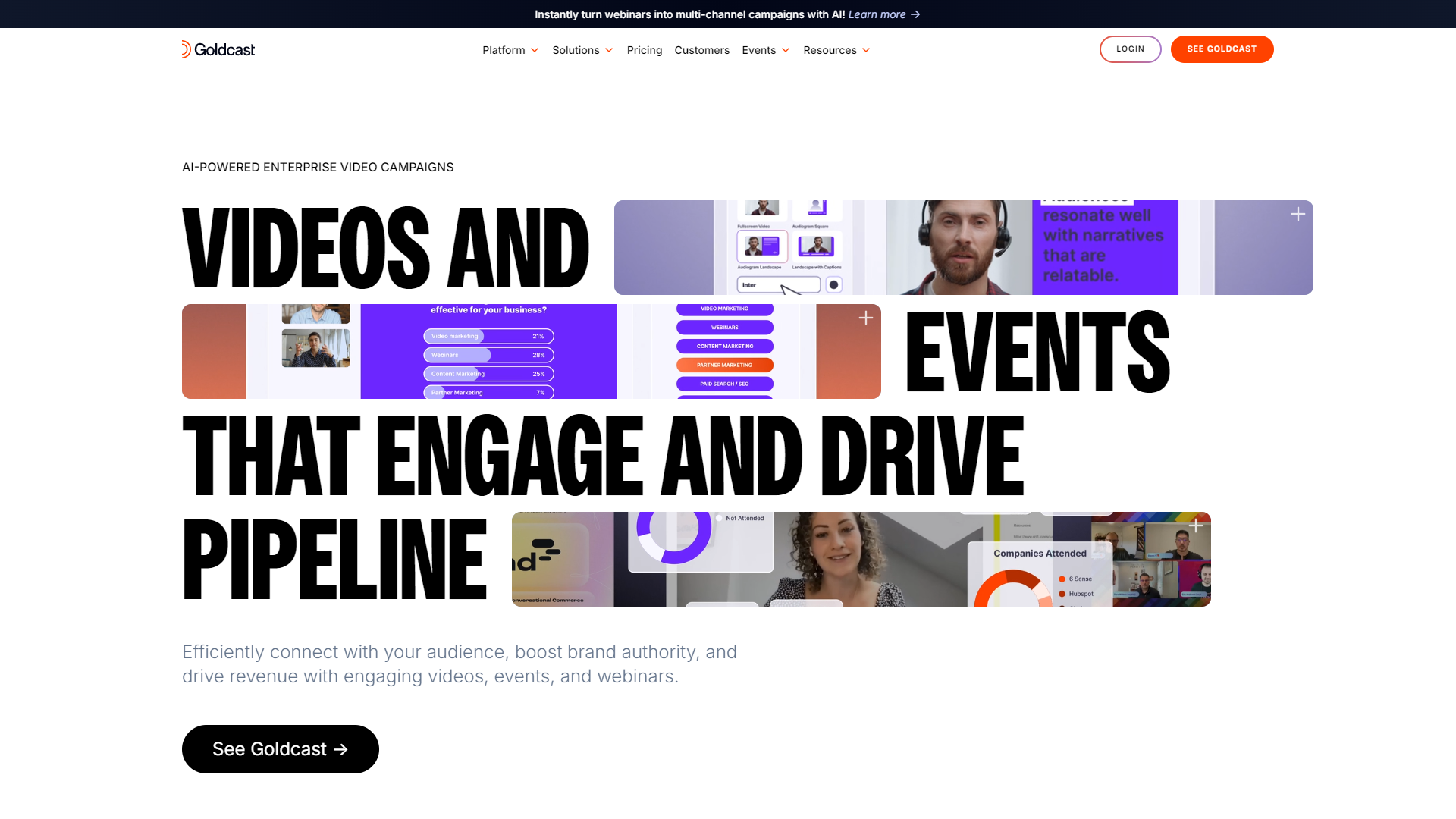
Goldcast is designed to help businesses and organizations create engaging online events. It features a range of tools to drive interaction and bring communities together in a virtual space. With Goldcast, organizers can run everything from webinars to conferences with ease and professionalism.
The platform allows users to customize their events, adding branding and interactive elements to keep audiences engaged. Whether you are looking to share knowledge, generate leads, or connect with your audience, Goldcast provides the necessary features to make your virtual event successful.
Additionally, Goldcast offers robust analytics to help organizers measure the effectiveness of their events. From audience engagement metrics to post-event feedback, the insights gained from Goldcast can help improve future events and strategies.
Pricing
| Plan | Price |
|---|---|
| Enterprise | $$ (Contact Us For Details) |
| Standard | $ (Contact Us For Details) |
Key features
Customizable Event Pages
Customize your event's look and feel to match your brand and create a unique online experience.
Interactive Polls and Q&A
Engage your audience with live polls and Q&A sessions to encourage participation and feedback.
Analytics Dashboard
Access detailed insights on attendee behavior and engagement to enhance future events.
Multiple Session Formats
Host a variety of sessions such as panels, workshops, and keynote speeches in one place.
Networking Opportunities
Enable attendees to connect with each other through networking features that foster connections.
Recording and Replay
Capture all sessions and make them available for replay, increasing the longevity of your event content.
Ticketing and Registration
Simplify the registration process with integrated ticketing options for paid events.
Integration with Other Tools
Connect Goldcast with your favorite marketing and CRM tools for a seamless experience.
Pros & Cons
Pros
- User-Friendly Interface
- Engagement Features
- Robust Analytics
- Highly Customizable
- Excellent Customer Support
Cons
- Internet Dependence
- Pricing
- Learning Curve
- Limited Free Features
- Occasional Technical Glitches
Feature Ratings
Based on real user reviews, here's how users rate different features of this product.
Registration
Based on 56 Goldcast reviews. Process of creating a new event
Based on 56 reviewsUser experience of registering for an event 55 reviewers of Goldcast have provided feedback on this feature.
Based on 55 reviewsBased on 33 Goldcast reviews. Ease of use in processing attendee payments
Based on 33 reviewsCheck attendees into events and sessions using a mobile device 43 reviewers of Goldcast have provided feedback on this feature.
Based on 43 reviewsRegister attendees and sell tickets on-site 35 reviewers of Goldcast have provided feedback on this feature.
Based on 35 reviewsMarketing and Communications
Based on 52 Goldcast reviews. Design and manage a dedicated event website
Based on 52 reviewsAutomate email communications with attendees This feature was mentioned in 52 Goldcast reviews.
Based on 52 reviewsAs reported in 53 Goldcast reviews. Design and customize email communications
Based on 53 reviewsOrganize and manage contact list of attendees 51 reviewers of Goldcast have provided feedback on this feature.
Based on 51 reviewsBased on 40 Goldcast reviews. Advertise and promote event using social media integrations
Based on 40 reviewsTools for capture and follow-up of leads generated during an event This feature was mentioned in 51 Goldcast reviews.
Based on 51 reviewsEvent Operations
Tools or directories to select and manage a site or venue for an event 24 reviewers of Goldcast have provided feedback on this feature.
Based on 24 reviewsAs reported in 22 Goldcast reviews. Tools or directories to select vendors and suppliers for an event
Based on 22 reviewsAs reported in 20 Goldcast reviews. Organize hotel blocks and transportation arrangements for attendees
Based on 20 reviewsManage staff resources and communications 21 reviewers of Goldcast have provided feedback on this feature.
Based on 21 reviewsAs reported in 20 Goldcast reviews. Tools for tracking event expenses and budgets
Based on 20 reviewsPlan and organize event sessions and schedule This feature was mentioned in 25 Goldcast reviews.
Based on 25 reviewsBased on 22 Goldcast reviews. Manage abstracts and proposals for event speakers
Based on 22 reviewsAs reported in 21 Goldcast reviews. Manage exhibitors or sponsors at an event
Based on 21 reviewsAttendee Engagement
As reported in 32 Goldcast reviews. Ability for attendees to customize and access a schedule or agenda for an event
Based on 32 reviewsAs reported in 19 Goldcast reviews. Ability for attendees to access floor plans and maps of an event venue
Based on 19 reviewsBased on 21 Goldcast reviews. Tools for attendees to post to social media during an event
Based on 21 reviewsTools to enable networking for attendees during an event This feature was mentioned in 23 Goldcast reviews.
Based on 23 reviewsAs reported in 23 Goldcast reviews. Tools for gathering feedback from attendees during and after an event
Based on 23 reviewsPlatform
Based on 31 Goldcast reviews. Software is consistently available (uptime) and allows users to complete tasks quickly because they are not waiting for the software to respond
Based on 31 reviewsAccess pre-built and custom reports and dashboards This feature was mentioned in 31 Goldcast reviews.
Based on 31 reviewsApplication Programming Interface - Specification for how the application communicates with other software. API's typically enable integration of data, logic, objects, etc. with other software applications 28 reviewers of Goldcast have provided feedback on this feature.
Based on 28 reviewsAbility to plan and organize multiple events within the platform This feature was mentioned in 29 Goldcast reviews.
Based on 29 reviewsCompatible with various operating systems
Allows various video and image file formats to be imported
Allows users to invite others to view, edit, and comment on video drafts
Host Tools
Allows hosts to add official branding to their webinar. This feature was mentioned in 65 Goldcast reviews.
Based on 65 reviewsAs reported in 58 Goldcast reviews. Allows hosts to gate access to specific tools based on role.
Based on 58 reviewsAllows hosts to record webinars for later viewing. This feature was mentioned in 62 Goldcast reviews.
Based on 62 reviewsAttendee Tools
Allows attendees to register for webinar attendance within the application. This feature was mentioned in 64 Goldcast reviews.
Based on 64 reviewsBased on 69 Goldcast reviews. Allows attendees to interact with one another via chat in real time.
Based on 69 reviewsBased on 65 Goldcast reviews. Allows attendees to participate in polls and surveys posted by the host.
Based on 65 reviewsPost-Event Tools
Provides insights into event performance (viewers, downloads, etc.). This feature was mentioned in 63 Goldcast reviews.
Based on 63 reviewsBased on 60 Goldcast reviews. Consolidates attendee information for analysis.
Based on 60 reviewsIntegrations
Integrates with social media sites to allow for streaming across sites. 39 reviewers of Goldcast have provided feedback on this feature.
Based on 39 reviewsBased on 60 Goldcast reviews. Integrates with outside software to provide other features.
Based on 60 reviewsAdministration
Based on 74 Goldcast reviews. Supports different types of virtual events and events with multiple concurrent sessions
Based on 74 reviewsOffers features for promoting events through email or social media This feature was mentioned in 66 Goldcast reviews.
Based on 66 reviewsBased on 75 Goldcast reviews. Allows event organizers to designate multiple speakers and hosts for an online event
Based on 75 reviewsProvides analytics features to track event attendance, engagement, and feedback 70 reviewers of Goldcast have provided feedback on this feature.
Based on 70 reviewsVirtual Experience
Offers a virtual lobby where users can view sessions, access content, and chat with attendees 75 reviewers of Goldcast have provided feedback on this feature.
Based on 75 reviewsAs reported in 66 Goldcast reviews. Platform offers native capabilities for webcasting video content
Based on 66 reviewsBased on 59 Goldcast reviews. Platform offers integrations with webinar and/or video streaming tools
Based on 59 reviewsEngagement
Enables attendees to register for multiple sessions and curate a personalized event agenda 77 reviewers of Goldcast have provided feedback on this feature.
Based on 77 reviewsIncludes features for Q&A, live polls, and/or group chat This feature was mentioned in 78 Goldcast reviews.
Based on 78 reviewsImproves the attendee experience with networking or matchmaking capabilities 64 reviewers of Goldcast have provided feedback on this feature.
Based on 64 reviewsProvides value to event exhibitors or sponsors 56 reviewers of Goldcast have provided feedback on this feature.
Based on 56 reviewsEvent Networking
Based on 22 Goldcast reviews. Schedules one-on-one meetings with prospects and attendees.
Based on 22 reviewsAs reported in 21 Goldcast reviews. Specification for how the application communicates with other software. API's typically enable integration of data, logic, objects, etc. with other software applications.
Based on 21 reviewsIncludes features for networking at a virtual event, such as 1:1 video meetings. This feature was mentioned in 20 Goldcast reviews.
Based on 20 reviewsAs reported in 20 Goldcast reviews. Offers features for attendee communication, such as private chat and video meetings.
Based on 20 reviewsAs reported in 20 Goldcast reviews. Allows users to create their own profile and browse the profiles of other attendees.
Based on 20 reviewsEvent Intelligence
Generates reports based on collected attendee data. 22 reviewers of Goldcast have provided feedback on this feature.
Based on 22 reviewsAs reported in 21 Goldcast reviews. Collects and reports data on prospects and attendees.
Based on 21 reviewsBased on 23 Goldcast reviews. Allows users to capture, store, and manage lead data.
Based on 23 reviewsAs reported in 13 Goldcast reviews. Uses artificial intelligence to match attendees with similar interests.
Based on 13 reviewsEditing
Enables audio clips to be added to videos
Utilizes speech-to-text technology to generate transcripts that can be used as captions
Allows users to animate text and adjust text properties such as color, size, length, reflectivity, extrude, etc.
Allows users to make vides speed up, slow down, or reverse direction
Allows images to be laid over videos
Provides video clip editing capabilties, including trimming, resizing, slicing, scaling, rotating, zooming in and out, etc.
Allows users to add titles, subtitles, and captions to their video
Video Creation - AI Video Generation
Allows users to create video content based on AI technology without relying on external video material
Converts written text to natural-sounding speech
Controls aspects of the synthesized voice, such as volume, pitch, and emotion
Provides tools to develop content, including but not limited to graphics, videos, presentations, copywriting, blogs, etc.
Gives users tools for creating custom avatars
Produces a high-quality human-like avatar
Editing - AI Video Generation
Provides tools for clipping, arranging, and manipulating videos
Saves and exports completed files in one or more file types
Storage & Management - AI Video Generation
Allows users to upload video files
Assists with storage, organization, and sharing of video files
Provides tagging and metadata features to optimize organization and video search capabilities
Assists with the distribution of videos through various channels with encoding and/or transcoding features
Video creation - Video Content Creation
Allows users to screen record and use the recording clips in their videos.
Allows users to create a textual translation of a video's dialogue.
Allows users to animate various elements in their videos, including text, images, and icons.
Provides a library of customizable video templates.
Allows users to track changes made to a video over time.
Provides a view of the order and length of all clips and allows users to add and rearrange clips.
Plays back written text and spoken words.
Provides a library of sounds and music to be used in videos.
Enables video to be resized for compatibility with different viewing formats.
Distribution - Video Content Creation
Enables synchronized delivery of omnichannel videos.
Provides HTML codes to allow videos to be embedded on websites.
Allows videos to be downloaded in file multiple formats.
Analytics - Video Content Creation
Allows users to create variations of their video to test performance.
Tracks metrics, such as view count, unique views, and view duration, likes, commets, shares, and click through rate.
Training & Support - Video Content Creation
Provides a community platform for products' users to engage with eachother.
Provides customer support for the product via email, phone and/or chat.
Integrations - Video Content Creation
Integrates with users' organizations' media library for easy import of digital brand assets
Integrates with content management tools for a streamlined content distribution workflow.
Integrates with marketing tools to streamline the marketing workflow.
Other - Video Content Creation
Provides prominent collaboration features to allow multiple people to work on a single project.
Allows an administrator to define roles and control access.
Rating Distribution
Screenshots
User Reviews
View all reviews on G2Best-in-class webinar and virtual event platform for B2B SaaS right now
What do you like best about Goldcast?
I evaluated, selected, and implemented Goldcast for Intercom's global webinar program and it exceeded my expecastions. We use it for all of our webinars, virtual events, and some of our in-person activations. I focus primarily on demand generation webinars, but we run them across our entire customer journey through different internal teams and across a number of regions in different languages.
I use the platform every day and we dozens of webinars per quarter, usually more.
The biggest but often overlooked value-add is the actual webinar and virtual event experience for ateendees. It has all the table stakes features and they're delivered in a thoughtful way that drives real value. We can develop well-branded events and there is solid language localization as well.
The integration of real AI capabiltiies has been a game changer for us, and I'm impressed by their ability to ship quality improvements quickly.
The platform also has all the behind the scenes functionality we need, including event/webinar management, integrations, etc.
Their sales team was helpful during evaluation and I never feel like I'm constantly behing "upsold" to. Their CSM team is stellar and ensures we get the most out of the platform and is very receptive to feedback and feature requests. Support is prompt and helpful.
Implementation was not difficult, and it's easy to get up and running internally and onboard new teammates or users.
What do you dislike about Goldcast?
As of August 2024, the in-person event functionality is good, but could use some additional features and polish, specifically around check-in and badging integrations.
I'd also like to see a few more capabilities in terms of landing page customization.
What problems is Goldcast solving and how is that benefiting you?
Deliver stellar webinar and virtual event experiences for our cutomers and prospects, as well as aiding us in leveraging the content from our marketing campaigns in various channels maximizing their value. This powers our lead generation engine, accelertates and builds pipeline, and closes new and expansion business. It's also aiding our product actication metrics.
All in one digital events platform
What do you like best about Goldcast?
After exploring various platforms for digital events, we discovered Goldcast, and the experience was exceptional from start to finish.
The ability to lead high-quality, branded, and streamlined digital events all in one place is a marketer's dream.
Being able ...
Aan intuitive, user-friendly platform that delivers successful events
What do you like best about Goldcast?
Goldcast is one of the easiest event tools I've used and offers a great experience for both event organisers and attendees.
The platform's engagement features, like polls, Q&A sharing, and video Q&A, are great for enhancing live events.
On the backend, creating...
Tons of Value, Great AI Features
What do you like best about Goldcast?
We used another webinar platform before switching to Goldcast and I wish we used Goldcast from the beginning. I like the modern viewing experience, engagement tools, and simplicity.
Setting up new webinars is intuitive and I like that we can create series and v...
Hosting Webinars for 500+ New Students is a Breeze
What do you like best about Goldcast?
Goldcast has been an incredible resource for our college. The UI is intuitive and very easy for new users to pick up. We don't have to host an in depth speaker orientation/training because the platform does such a good job of easing in new users.
The ease of cr...
Company Information
Alternative Ai Video Generators tools


FAQ
Here are some frequently asked questions about Goldcast.
You can host webinars, conferences, workshops, and panel discussions using Goldcast.
Yes, Goldcast is designed with a user-friendly interface that makes it easy for beginners to navigate.
Absolutely! Goldcast allows you to fully customize your event page to reflect your brand.
Yes, Goldcast has a comprehensive analytics dashboard to track audience engagement and other metrics.
Yes, Goldcast includes networking options that allow attendees to connect with each other during the event.
Goldcast offers support to help resolve technical issues during your event to ensure everything runs smoothly.
Yes, Goldcast supports ticketing and registration features that allow you to sell tickets for your events.
Yes, you can record sessions on Goldcast and make them available for attendees to watch later.


