
Zoom Workplace
A seamless platform for collaboration and communication in the workplace.
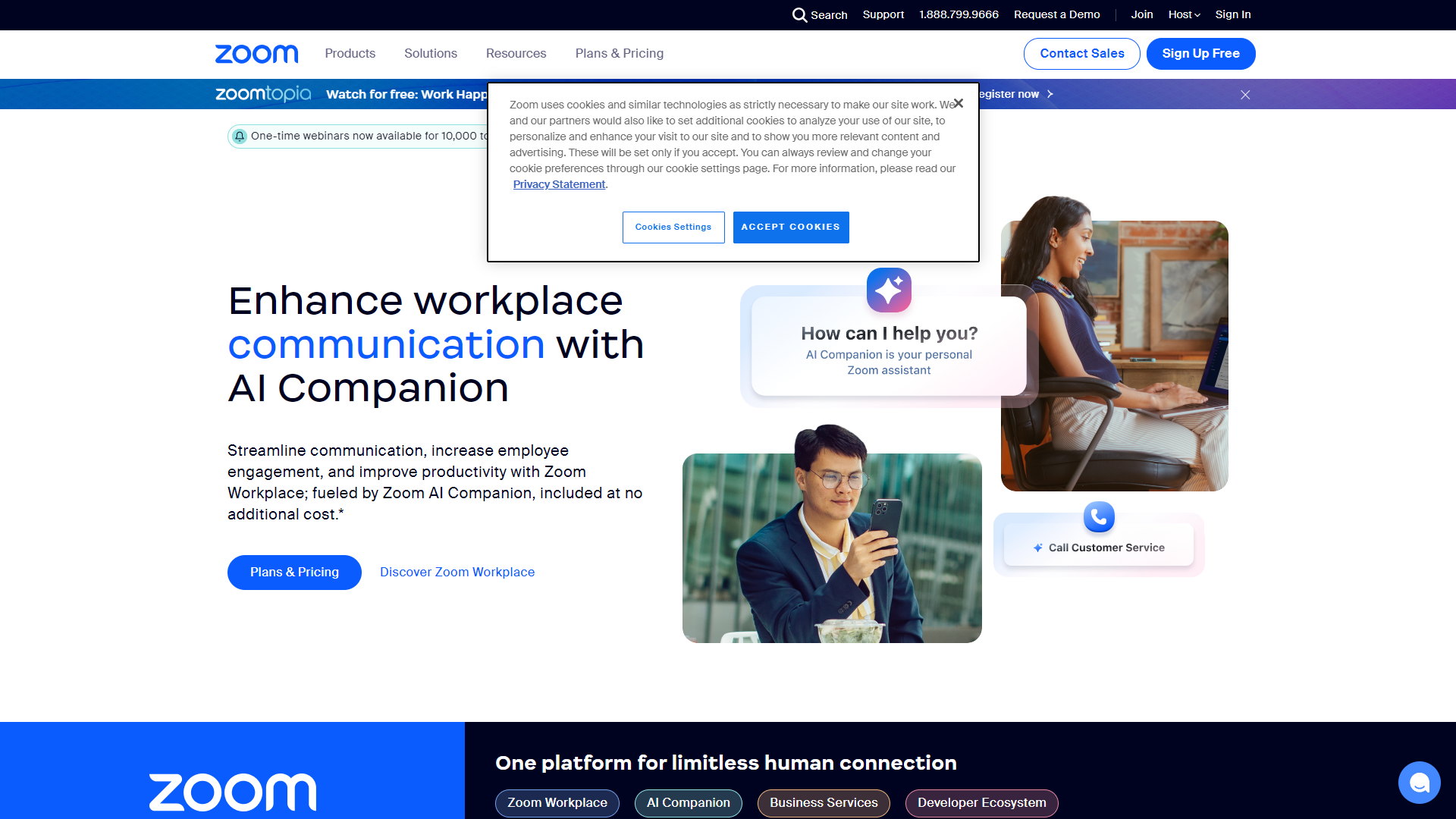
Overview
Zoom Workplace is designed to enhance team collaboration and improve communication within organizations. It brings together tools for video conferencing, messaging, and file sharing, all in one easy-to-use platform. This allows employees to work together effectively, whether they are in the office or working remotely.
Pricing
| Plan | Price | Description |
|---|---|---|
| Basic | Free | - |
| Pro | $15.99 (1 host Per Month) | - |
| Business | $21.99 (Per Month) | 10 or more host accounts |
| Business Plus | $26.99 (Per Month) | - |
| Enterprise | Contact Us (Per Month) | 100 or more host accounts |
Key features
Video Conferencing
Offers high-quality video calls that allow teams to connect face-to-face, no matter where they are.
Instant Messaging
Built-in chat feature for real-time communication among team members.
File Sharing
Easy sharing of documents and files within the platform to enhance collaboration.
Integrations
Works smoothly with other tools like Google Drive, Microsoft Office, and more.
Meeting Scheduling
Simplifies the process of setting up meetings with built-in calendar support.
Breakout Rooms
Allows for smaller group discussions within larger meetings for focused collaboration.
Recording
Provides the option to record meetings for later review or sharing with absent team members.
Security Features
Offers encryption and other security measures to keep conversations and data safe.
Pros & Cons
Pros
- User-friendly
- Versatile
- Reliable
- Accessibility
- Cost-effective
Cons
- Time Limit
- Learning Curve
- Internet Dependence
- Privacy Concerns
- Customer Support
Feature Ratings
Based on real user reviews, here's how users rate different features of this product.
Basic Communication
Enables users to place phone calls over the internet. This feature was mentioned in 1521 Zoom Workplace reviews.
Based on 1521 reviewsBased on 1648 Zoom Workplace reviews. Enables users to place video calls over the internet.
Based on 1648 reviewsEnables users to send instant messages over the internet. 1347 reviewers of Zoom Workplace have provided feedback on this feature.
Based on 1347 reviewsEnables users to share screens over the internet. 1647 reviewers of Zoom Workplace have provided feedback on this feature.
Based on 1647 reviewsEnables multiple users to make phone or video calls over the internet at once. This feature was mentioned in 1607 Zoom Workplace reviews.
Based on 1607 reviewsEnables users to contact one anothers through mobile phones and landlines. 1114 reviewers of Zoom Workplace have provided feedback on this feature.
Based on 1114 reviewsAdvanced Features
Offers users the option to play music for contacts who are on hold. 888 reviewers of Zoom Workplace have provided feedback on this feature.
Based on 888 reviewsOffers users the option to set up an automated attendant to field calls and information when employees are unavailable. 863 reviewers of Zoom Workplace have provided feedback on this feature.
Based on 863 reviewsAccess
Based on 1025 Zoom Workplace reviews. Allows users to download the tool as an add-on to subscriptions to specific services such as Outlook 365.
Based on 1025 reviewsAllows users to download the tool along as an extension to their browser of choice. 1133 reviewers of Zoom Workplace have provided feedback on this feature.
Based on 1133 reviewsRequires users download the software on its own. This feature was mentioned in 1332 Zoom Workplace reviews.
Based on 1332 reviewsContent Sharing
Based on 6929 Zoom Workplace reviews and verified by the G2 Product R&D team. Live streams audio and video from both teacher and student managed devices
Based on 6929 reviewsBased on 7164 Zoom Workplace reviews and verified by the G2 Product R&D team. Captures each session via a stream recording feature
Based on 7164 reviewsBased on 6359 Zoom Workplace reviews and verified by the G2 Product R&D team. The ability to share PowerPoints, images, and other file types
Based on 6359 reviewsCollaboration
Based on 5441 Zoom Workplace reviews and verified by the G2 Product R&D team. Contains an interactive whiteboard for both student and teacher use
Based on 5441 reviewsBased on 7157 Zoom Workplace reviews and verified by the G2 Product R&D team. Provides a hand raising feature for students that wish to ask questions or offer insight
Based on 7157 reviewsBased on 6902 Zoom Workplace reviews and verified by the G2 Product R&D team. Teachers control participation permissions for students
Based on 6902 reviewsBased on 5305 Zoom Workplace reviews and verified by the G2 Product R&D team. Creates online polls within the classroom environment
Based on 5305 reviewsBased on 7516 Zoom Workplace reviews and verified by the G2 Product R&D team. Permits screen sharing between the teacher and students
Based on 7516 reviewsAllows multiple users to collaborate on a single document and see edits in real-time
Allows users to communicate in real-time via chat and comments within the document
Functionality
Based on 5389 Zoom Workplace reviews and verified by the G2 Product R&D team. Live technical support available for all users
Based on 5389 reviewsBased on 6676 Zoom Workplace reviews and verified by the G2 Product R&D team. Text chat tools within the classroom
Based on 6676 reviewsBased on 5124 Zoom Workplace reviews and verified by the G2 Product R&D team. Ability to markup different media types within a session
Based on 5124 reviewsBusiness Instant Messaging
Allows users to send and open various file types. This feature was mentioned in 548 Zoom Workplace reviews.
Based on 548 reviewsNotifies users when they have been contacted or tagged. 580 reviewers of Zoom Workplace have provided feedback on this feature.
Based on 580 reviewsAs reported in 560 Zoom Workplace reviews. Message content search capability.
Based on 560 reviewsBased on 551 Zoom Workplace reviews. Software can be accessed through a downloadable mobile application.
Based on 551 reviewsBased on 564 Zoom Workplace reviews. Software can be accessed through a downloadable desktop app or a cloud-based site.
Based on 564 reviewsApplication integrates with other outside software. 548 reviewers of Zoom Workplace have provided feedback on this feature.
Based on 548 reviewsBusiness Instant Messaging
Based on 551 Zoom Workplace reviews. Allows users to communicate via audio call.
Based on 551 reviewsAllows users to communicate via video call. 557 reviewers of Zoom Workplace have provided feedback on this feature.
Based on 557 reviewsDesign Tools
Allows users to draw on the whiteboard. 271 reviewers of Zoom Workplace have provided feedback on this feature.
Based on 271 reviewsAssigns or allows users to pick different colors to designate who is drawing. This feature was mentioned in 260 Zoom Workplace reviews.
Based on 260 reviewsBased on 265 Zoom Workplace reviews. Provides tools that design mind maps for brainstorming sessions.
Based on 265 reviewsProvides premade templates to organize the whiteboard. This feature was mentioned in 265 Zoom Workplace reviews.
Based on 265 reviewsAs reported in 269 Zoom Workplace reviews. Allows users to drag and drop images, videos, links, and other content onto the whiteboard.
Based on 269 reviewsCommunication Tools
Offers a built-in voting system. 258 reviewers of Zoom Workplace have provided feedback on this feature.
Based on 258 reviewsBased on 270 Zoom Workplace reviews. Allows users to annotate the whiteboard or comment on specific pieces of content on it.
Based on 270 reviewsIntegrations
Based on 267 Zoom Workplace reviews. Integrates with outside content management systems to save the whiteboard or pull content from.
Based on 267 reviewsAllows users to share or export whiteboards to other software. 255 reviewers of Zoom Workplace have provided feedback on this feature.
Based on 255 reviewsBased on 517 Zoom Workplace reviews. This software integrates with Microsoft Teams.
Based on 517 reviewsAs reported in 538 Zoom Workplace reviews. This software integrates with popular email providers.
Based on 538 reviewsAs reported in 547 Zoom Workplace reviews. This software integrates with Zoom.
Based on 547 reviewsThis software integrates with Google Meet. This feature was mentioned in 511 Zoom Workplace reviews.
Based on 511 reviewsThis software integrates with Salesforce. 510 reviewers of Zoom Workplace have provided feedback on this feature.
Based on 510 reviewsSoftware Offering
Based on 255 Zoom Workplace reviews. Product is available as an in-browser application.
Based on 255 reviewsAs reported in 270 Zoom Workplace reviews. Product is available as a downloadable desktop application.
Based on 270 reviewsProduct is available as a mobile application. 258 reviewers of Zoom Workplace have provided feedback on this feature.
Based on 258 reviewsConferencing Options
Based on 20230 Zoom Workplace reviews and verified by the G2 Product R&D team. Provides a live chat feed during a screen sharing session.
Based on 20230 reviewsBased on 20415 Zoom Workplace reviews and verified by the G2 Product R&D team. Allows users to communicate via audio channels.
Based on 20415 reviewsBased on 22462 Zoom Workplace reviews and verified by the G2 Product R&D team. Allows users to communicate via video channels.
Based on 22462 reviewsPresenter Tools
Based on 17670 Zoom Workplace reviews. Provides a live preview of what viewers are seeing in real-time.
Based on 17670 reviewsBased on 13162 Zoom Workplace reviews and verified by the G2 Product R&D team. Blocks notifications from other applications from appearing during a screen sharing session.
Based on 13162 reviewsBased on 14125 Zoom Workplace reviews and verified by the G2 Product R&D team. Allows users to give audience members control of cursors or tools on the shared screen.
Based on 14125 reviewsBased on 18161 Zoom Workplace reviews and verified by the G2 Product R&D team. Allows presenters to relinguish presenter access to another user in a call.
Based on 18161 reviewsApplication Tools
Based on 16769 Zoom Workplace reviews and verified by the G2 Product R&D team. Provides password protection to screen sharing sessions.
Based on 16769 reviewsBased on 20133 Zoom Workplace reviews and verified by the G2 Product R&D team. Allows users to record screen sharing sessions for later review.
Based on 20133 reviewsBased on 16818 Zoom Workplace reviews and verified by the G2 Product R&D team. Software is available within browsers.
Based on 16818 reviewsPlatform Basics
Based on 236 Zoom Workplace reviews. Provides the ability to screen capture a still image of a user's full desktop, specific window or a small portion of the user's screen.
Based on 236 reviewsProvides the ability to video capture a user's full desktop, specific window or a small portion of the user's screen. 250 reviewers of Zoom Workplace have provided feedback on this feature.
Based on 250 reviewsAllows users to edit and annotate screen captures and video captures with markup tools and image editing tools. 226 reviewers of Zoom Workplace have provided feedback on this feature.
Based on 226 reviewsAllows guests to check-in using the platform's built-in dashboard. This feature was mentioned in 39 Zoom Workplace reviews.
Based on 39 reviewsProvides delivery management resources to help manage incoming and outgoing mail, such as delivery notifications, package delivery photos and a log of delivered mail. 37 reviewers of Zoom Workplace have provided feedback on this feature.
Based on 37 reviewsAllow users to track on-site visitors, previous visits, and provides visitor log insights.
Using the database of visitor information, provide insights into regular visitors and their frequency of visits to plan for future arrival. Plus enable access for certain admin in case of audits, emergency, or checking anomalies.
Cross-check visitor information with resitrcited visitor lists both with the building, nationally and internationally to ensure no dangerous visitors are allowed on the premises.
Scan faces or IDs for issuing approved visitor badges. Store photo information in database for record keeping.
Automate manual tasks such as visitor arrival and departure notifications, and contact information autofilling.
As reported in 26 Zoom Workplace reviews. Ability to remotely control the content displayed across digital screens.
Based on 26 reviewsAs reported in 27 Zoom Workplace reviews. Ability to schedule digital signage content in advance.
Based on 27 reviewsAs reported in 31 Zoom Workplace reviews. Enables individuals with different roles within the operator’s organization to control the content that is being published on the digital signage network.
Based on 31 reviewsPlatform Content
As reported in 222 Zoom Workplace reviews. Allows users to capture a full screen capture while scrolling down a page.
Based on 222 reviewsLets users extract text from a screen capture. 226 reviewers of Zoom Workplace have provided feedback on this feature.
Based on 226 reviewsAs reported in 234 Zoom Workplace reviews. Helps users record a video capture and save it as a video file, audio file or GIF file.
Based on 234 reviewsProvides users the ability to upload a variety of media formats, including photos, videos, and URL addresses for live web pages. This feature was mentioned in 27 Zoom Workplace reviews.
Based on 27 reviewsProvides users the built-in ability to edit parts of their designs, like images and text. This feature was mentioned in 29 Zoom Workplace reviews.
Based on 29 reviewsPlatform Additional Functionality
Provides robust sharing and publishing options. 250 reviewers of Zoom Workplace have provided feedback on this feature.
Based on 250 reviewsBased on 227 Zoom Workplace reviews. Lets users search the platform for saved screen and video captures, as well as stock images.
Based on 227 reviewsIntegrates with related tools that simplify platform management and usage. This feature was mentioned in 34 Zoom Workplace reviews.
Based on 34 reviewsAllows users to organize multiple screens into a single unit. This feature was mentioned in 35 Zoom Workplace reviews.
Based on 35 reviewsBased on 33 Zoom Workplace reviews. Ability to connect and integrate with your asset management sources to feed your screen from where your assets are housed.
Based on 33 reviewsProvides detailed information about the content assets and playback, playbackmedia players, and user management. 29 reviewers of Zoom Workplace have provided feedback on this feature.
Based on 29 reviewsInbox Tools
As reported in 47 Zoom Workplace reviews. Consolidates multiple email accounts into one viewable platform.
Based on 47 reviewsAllows users to filter their emails by sender, date received, opened, etc. 49 reviewers of Zoom Workplace have provided feedback on this feature.
Based on 49 reviewsAs reported in 46 Zoom Workplace reviews. Gives users reminders to send or reply to emails.
Based on 46 reviewsAs reported in 45 Zoom Workplace reviews. Provides notifications when users receive new emails.
Based on 45 reviewsCoordination Tools
Provides a native calendar. This feature was mentioned in 51 Zoom Workplace reviews.
Based on 51 reviewsBased on 49 Zoom Workplace reviews. Provides a native contact book.
Based on 49 reviewsOffers built-in task creation and assignment functionality. This feature was mentioned in 47 Zoom Workplace reviews.
Based on 47 reviewsSoftware Options
Based on 47 Zoom Workplace reviews. Software available as a downloadable desktop application.
Based on 47 reviewsBased on 51 Zoom Workplace reviews. Software available as a mobile application.
Based on 51 reviewsPlatform Data
Based on 37 Zoom Workplace reviews. Automates manual tasks such as visitor arrival and departure notifications, guest badge printing and contact information autofilling.
Based on 37 reviewsAllows users to track on-site visitors previous visits and future visits and provides visitor log insights. This feature was mentioned in 35 Zoom Workplace reviews.
Based on 35 reviewsAllows users to screen incoming vistiors, add flagged visitors to watchlists and get notified of when a flagged visitor enters the facility. 34 reviewers of Zoom Workplace have provided feedback on this feature.
Based on 34 reviewsBased on 34 Zoom Workplace reviews. Provides a dashboard with check-in and check-out capabilities and visitor logs.
Based on 34 reviewsPlatform Interoperability
Sends a notification to users of a visitors arrival and departure. 42 reviewers of Zoom Workplace have provided feedback on this feature.
Based on 42 reviewsBased on 38 Zoom Workplace reviews. Works with hardware, such as iPads, for an interactive representation of the platform that is easy to use by visitors.
Based on 38 reviewsAs reported in 31 Zoom Workplace reviews. Integrates with existing hardware.
Based on 31 reviewsFeatures
Based on 1649 Zoom Workplace reviews and verified by the G2 Product R&D team. Transcribes voice messages to email.
Based on 1649 reviewsBased on 1584 Zoom Workplace reviews. Transcribes voice messages and delivers them via text message.
Based on 1584 reviewsBased on 2058 Zoom Workplace reviews and verified by the G2 Product R&D team. Includes a way to easily share files between users.
Based on 2058 reviewsBased on 2322 Zoom Workplace reviews and verified by the G2 Product R&D team. Allows multi-participant phone conferences.
Based on 2322 reviewsBased on 2400 Zoom Workplace reviews and verified by the G2 Product R&D team. Can host video conferences.
Based on 2400 reviewsBased on 1878 Zoom Workplace reviews and verified by the G2 Product R&D team. Records and transcribes voice and video conferences.
Based on 1878 reviewsExtensions
Based on 1765 Zoom Workplace reviews and verified by the G2 Product R&D team. Can be deployed as a single-tenant or multi-tenant product.
Based on 1765 reviewsBased on 1745 Zoom Workplace reviews and verified by the G2 Product R&D team. Contains its own IP telephony system.
Based on 1745 reviewsIs also able to serve as contact center software. 1635 reviewers of Zoom Workplace have provided feedback on this feature.
Based on 1635 reviewsCollaboration Tools
Based on 31414 Zoom Workplace reviews and verified by the G2 Product R&D team. Able to share your desktop screen or an application with the rest of the conference.
Based on 31414 reviewsBased on 15182 Zoom Workplace reviews and verified by the G2 Product R&D team. Conferences have a text chat feature.
Based on 15182 reviewsBased on 15301 Zoom Workplace reviews and verified by the G2 Product R&D team. Allows conference participants to notifiy conference hosts when they want to speak.
Based on 15301 reviewsMeeting Coordination
Based on 28725 Zoom Workplace reviews and verified by the G2 Product R&D team. Scheduling web meetings is streamlined, intuitive, and integrated into calendar and email software.
Based on 28725 reviewsBased on 27828 Zoom Workplace reviews and verified by the G2 Product R&D team. Conferences can be recorded for future use with native functionality.
Based on 27828 reviewsBased on 28133 Zoom Workplace reviews and verified by the G2 Product R&D team. The ability to grant users access to conferences as moderators, presenters or participants--individually or based on user role or group.
Based on 28133 reviewsBased on 15689 Zoom Workplace reviews and verified by the G2 Product R&D team. Allows users to join a conference without requiring a download or a sign-in
Based on 15689 reviewsSoftware Type
Based on 27230 Zoom Workplace reviews and verified by the G2 Product R&D team. Offers a mobile app or mobile optimized website to video conference from smartphones or tablets.
Based on 27230 reviewsBased on 14362 Zoom Workplace reviews and verified by the G2 Product R&D team. Conferences can be launched within a browser without requiring a user to download an application to their desktop.
Based on 14362 reviewsBased on 16423 Zoom Workplace reviews and verified by the G2 Product R&D team. Software is available as a downloadable desktop application.
Based on 16423 reviewsCalendar View
As reported in 246 Zoom Workplace reviews. Ability to view multiple calendars at once from within a single window
Based on 246 reviewsAs reported in 266 Zoom Workplace reviews. Provides customizable viewing options (e.g., day, week, month, year)
Based on 266 reviewsShared Calendar
Ability to subscribe to other calendars for collaboration purposes or personal needs (work, family, school, etc.) This feature was mentioned in 235 Zoom Workplace reviews.
Based on 235 reviewsBased on 250 Zoom Workplace reviews. Ability to manage multiple calendars at a time
Based on 250 reviewsAccessibility
Calendar integrates with a screen reader to read and respond to calendar invites as well as schedule appointments and meetings 241 reviewers of Zoom Workplace have provided feedback on this feature.
Based on 241 reviewsBased on 236 Zoom Workplace reviews. Calendar functions can be carried out with the use of keyboard shortcuts
Based on 236 reviewsIntegration
The ability to automatically sync calendars across different calendar softwares (i.e. ability to sync a Google Calendar with an Outlook calendar) 239 reviewers of Zoom Workplace have provided feedback on this feature.
Based on 239 reviewsAs reported in 251 Zoom Workplace reviews. Ability to import events from an existing account or another calendar
Based on 251 reviewsIntegrates an existing calendar with another software application, such as Microsoft Teams or Slack This feature was mentioned in 234 Zoom Workplace reviews.
Based on 234 reviewsNotifications
Ability to customize calendar notifications including event reminders, how far in advance the notification should be received, and methods in which the notification is received (desktop notification vs. email) 241 reviewers of Zoom Workplace have provided feedback on this feature.
Based on 241 reviewsOffers location-based alerts to assist with commuting to and from one location to another This feature was mentioned in 243 Zoom Workplace reviews.
Based on 243 reviewsIntegrate & Embed
Integrates with calendars to link relevant documents for meetings or appointments
Embeds live documents into websites
Integrates with third-party applications, such as business instant messaging software, collaboration tools, and project management software
Edit & Revise
Tracks changes made to documents and access all revision history
When reviewing documents, provides suggestions that can be accepted or rejected by the document owner
Provides editing and proof-reading tools such as spell check and grammar check
File Types
Exports files in multiple file formats including .docx, .pdf, .odt, .rtf, .txt or .html format
Imports documents in multiple file formats for editing
Transforms a document into a web page and publish to the internet
Design
Ability to insert graphics, including photos, charts, drawings, graphs, etc.
Offers multiple editable templates for documents inluding flyers, resumes, calendars, newsletters, etc.
Offer various color themes which can be applied to the document
Operating System
Supports Microsoft Windows operating system
Supports macOS operating system
Supports Linux operating system
Branding & Customizatio
As reported in 515 Zoom Workplace reviews. Provide the ability to create a custom booking page.
Based on 515 reviewsProvide the ability to create custom scheduling URLs. 537 reviewers of Zoom Workplace have provided feedback on this feature.
Based on 537 reviewsBased on 514 Zoom Workplace reviews. Provide the ability to create a personalized web embed.
Based on 514 reviewsAutomatic Rules & Configurations
Allow users to set automatic working hours. 516 reviewers of Zoom Workplace have provided feedback on this feature.
Based on 516 reviewsAutomatically update calendars after a meeting has been booked. 531 reviewers of Zoom Workplace have provided feedback on this feature.
Based on 531 reviewsBased on 548 Zoom Workplace reviews. Provide the ability to incorporate buffer times, leaving time before and after meetings.
Based on 548 reviewsData
Ensures consistent performance, delivering reliable outputs based on user prompts. 50 reviewers of Zoom Workplace have provided feedback on this feature.
Based on 50 reviewsAs reported in 59 Zoom Workplace reviews. Implements stringent measures to protect user data and ensure privacy.
Based on 59 reviewsInteraction
Based on 58 Zoom Workplace reviews. Shows adeptness in comprehending and responding to complex or multi-part queries.
Based on 58 reviewsBased on 52 Zoom Workplace reviews. Facilitates natural and human-like conversations, delivering engaging interaction experiences.
Based on 52 reviewsBased on 49 Zoom Workplace reviews. Demonstrates a sophisticated understanding of both written and spoken user commands.
Based on 49 reviewsExhibits proficiency in maintaining and utilizing context throughout a conversation. 49 reviewers of Zoom Workplace have provided feedback on this feature.
Based on 49 reviewsAs reported in 50 Zoom Workplace reviews. Offers a high degree of customization to meet individual user or business requirements.
Based on 50 reviewsLearning
Features robust learning mechanisms, improving responses over time based on past user interactions. 49 reviewers of Zoom Workplace have provided feedback on this feature.
Based on 49 reviewsShowcases the ability to recognize, correct, and learn from its own mistakes. 56 reviewers of Zoom Workplace have provided feedback on this feature.
Based on 56 reviewsContent Generation
As reported in 57 Zoom Workplace reviews. Displays creativity in generating diverse, interesting, and contextually relevant responses.
Based on 57 reviewsProduces content that is accurate, factually correct, and relevant to the user's query. This feature was mentioned in 59 Zoom Workplace reviews.
Based on 59 reviewsSystem
Based on 50 Zoom Workplace reviews. Evaluates the chatbot's ability to provide flexible APIs for custom integrations and functionality expansions.
Based on 50 reviewsRegularly receives updates that contribute to continuous improvement of the product. 62 reviewers of Zoom Workplace have provided feedback on this feature.
Based on 62 reviewsBased on 57 Zoom Workplace reviews. Assesses the chatbot's ability to function seamlessly across various platforms and devices.
Based on 57 reviewsSeamlessly integrates with other platforms or software systems, enhancing overall utility. 51 reviewers of Zoom Workplace have provided feedback on this feature.
Based on 51 reviewsGenerative AI
Allows users to generate text based on a text prompt.
Condenses long documents or text into a brief summary.
Provides the ability to generate images from a text prompt.
Simulates human-like speech from text inputs.
Converts images into a textual description, identifying key elements.
Basic Communication - Cloud PBX
As reported in 21 Zoom Workplace reviews. Supports incoming calls, call forwarding, transferring and conferencing.
Based on 21 reviewsAs reported in 20 Zoom Workplace reviews. Can handle voicemail, instant messaging, screen sharing, video calls, text messages or other forms of communication for the business.
Based on 20 reviewsScales to add additional phone capacity in order to accomodate growth in an organization. 19 reviewers of Zoom Workplace have provided feedback on this feature.
Based on 19 reviewsIntegrates with business tools such as CRMs, APIs, browsers, business music and more. 18 reviewers of Zoom Workplace have provided feedback on this feature.
Based on 18 reviewsBased on 20 Zoom Workplace reviews. Able to connect with employee's mobile devices for further ease of access.
Based on 20 reviewsAccessible from any location with wifi connection via cloud infrastructure. This feature was mentioned in 19 Zoom Workplace reviews.
Based on 19 reviewsAdvanced Features - Cloud PBX
Based on 19 Zoom Workplace reviews. Ensures security of voice communications with encryption for calls.
Based on 19 reviewsAs reported in 20 Zoom Workplace reviews. Provides call analytics based on data such as call volumes, durations, and other metrics.
Based on 20 reviewsAs reported in 19 Zoom Workplace reviews. Provides virtual technical support for business communication services for improving phone performance.
Based on 19 reviewsAs reported in 18 Zoom Workplace reviews. Offers an automated attendant to field calls when employees are unavailable.
Based on 18 reviewsGenerative AI - Business Instant Messaging
Condenses long documents or text into a brief summary. This feature was mentioned in 19 Zoom Workplace reviews.
Based on 19 reviewsAI - Business Instant Messaging
Improves search functionality by prioritizing search results based on a user's previous interactions and relevance, enabling users to find messages, files, and people without the need for exact search terms. This feature was mentioned in 19 Zoom Workplace reviews.
Based on 19 reviewsAs reported in 19 Zoom Workplace reviews. Prioritizes user notifications by suggesting channels, people, and messages relevant to a user's work.
Based on 19 reviewsUses AI-powered language translation tools to translate messages in real-time. 19 reviewers of Zoom Workplace have provided feedback on this feature.
Based on 19 reviewsCreates, assists, or automates the generation of text-based content within the platform. 19 reviewers of Zoom Workplace have provided feedback on this feature.
Based on 19 reviewsAdditional Functionality - Visitor Management
Depending on the needs of the business, there can be NDAs and contacts provided if there is the need for a higher level of security.
integrate with Vaccine Tracking software and other relevant security software for extra security measures.
Can integrate with hardware like kiosks, tablets, PC, or Macs for visitor check in purposes.
Allow the capability of multiple languages to be accessed when a visitor is looking to log in in theri native language, whether domestically or abroad.
Rating Distribution
Screenshots
User Reviews
View all reviews on G2Zoom me ha permitido escalar mi negocio de forma internacional
What do you like best about Zoom Workplace?
Lo que más me gusta de Zoom es que me permite llevar adelante mi negocio de forma completa. En principio, es una herramienta fácil de usar. El fondo de mi habitación no es tan agradable, pero gracias a Zoom puedo colocar un fondo falso que me permite realizar entrevistas sin importar cómo luzca mi casa. Algo que me encanta es que me permite grabar, por lo que puedo llevar adelante conferencias, masterclass y entrevistas con mis clientes y luego transcribirlas gracias a su herramienta de transcripción inteligente. Lo uso con muchísima frecuencia, casi a diario.
What do you dislike about Zoom Workplace?
Creo que me gustaría que pudiesen añadir más espacio disponible para las grabaciones en el plan inicial. Que sean solo 5 GB me parece bastante poco.
What problems is Zoom Workplace solving and how is that benefiting you?
Zoom me está permitiendo tener conferencias con clientes de todo el mundo sin salir de casa. Es la mejor herramienta de videollamadas, en mi experiencia.
Zoom, a versatile tool
What do you like best about Zoom Workplace?
Zoom has an intuitive interface, which does not limit the users' level of knowledge to start using it. In a work team that is not familiar with the use of video calls, Zoom allows for easy implementation. It is available for phones, tablets, computers with...
Great tool for video meetings
What do you like best about Zoom Workplace?
I love how easy it is to use! The integration with my calendar makes it so easy to schedule any meeting, and I use it at least twice a day, if not more.
Setting up the account took no time at all; it's been very easily implemented by our entire team.
I c...
Robust Platform for Communication at Work
What do you like best about Zoom Workplace?
It is a versatile and security enabled platform for seamless communication at work places. The best part about this application is its availability on different devices, be it phone, tablet or computer. The application is very light and just takes a few m...
Love Zoom!
What do you like best about Zoom Workplace?
Overall Zoom is easy to use. I mainly use it for conducting video calls to onboard clients. I like the chat and share screen features. Those are my 2 most used features and I find them easy to use, even for non tech savvy users. I use zoom daily and use it...
Company Information
Alternative Ai Chatbots tools


FAQ
Here are some frequently asked questions about Zoom Workplace.
Zoom Workplace is a platform that combines video conferencing, messaging, and file sharing to improve team collaboration.
Yes, there is a free version, but it has certain limitations on meeting durations.
Absolutely! Zoom Workplace is available on smartphones and tablets.
You can record meetings directly within the platform by clicking on the record button during a session.
Zoom Workplace has encryption and other security measures to protect your conversations and data.
Yes, it integrates well with various tools such as Google Drive and Microsoft Office.
Breakout rooms allow you to split a larger meeting into smaller groups for focused discussions.
You can easily schedule a meeting using the built-in calendar feature within Zoom Workplace.


